Nina Taylor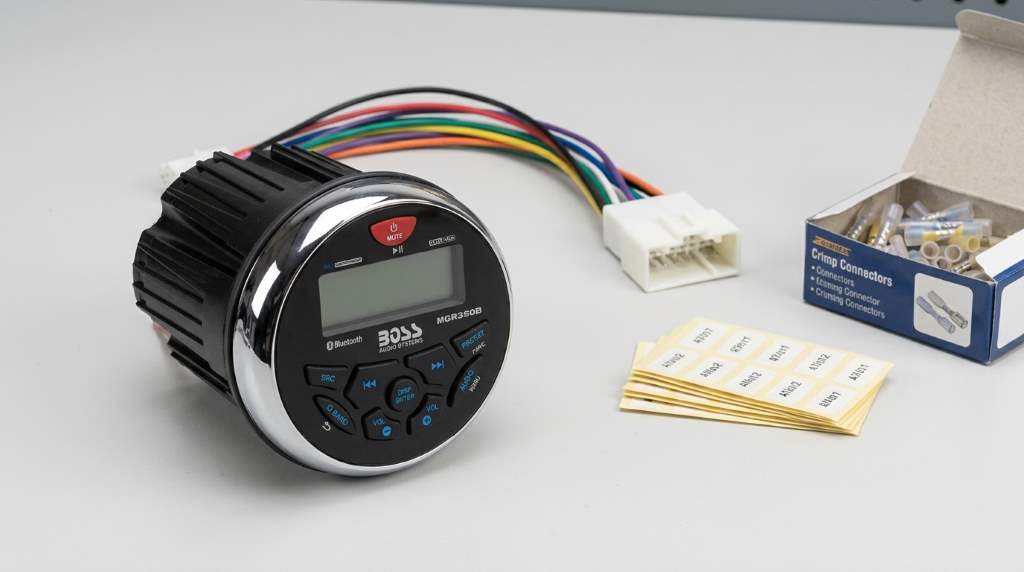
Wire the Boss Audio MGR350B Marine Radio by matching every wire to its correct power, speaker, and accessory connection. Always disconnect the battery first, follow the wiring diagram, and test every function before securing the installation.
Installing a marine radio correctly improves safety, sound quality, and long term reliability. According to marine electronics industry reports, improper wiring causes a significant share of onboard electronic failures. Likewise, many boat owners replace damaged stereo systems because of loose or incorrect connections. If you own the Boss audio mgr350b marine radio, understanding proper wiring helps prevent expensive repairs and keeps your entertainment system dependable.
Why Proper Wiring Matters
Correct wiring protects the radio from electrical damage and voltage problems. It also improves audio performance during every trip.
Proper connections reduce signal interference and unwanted noise from other onboard electronics. Consequently, every speaker delivers cleaner and more consistent sound.
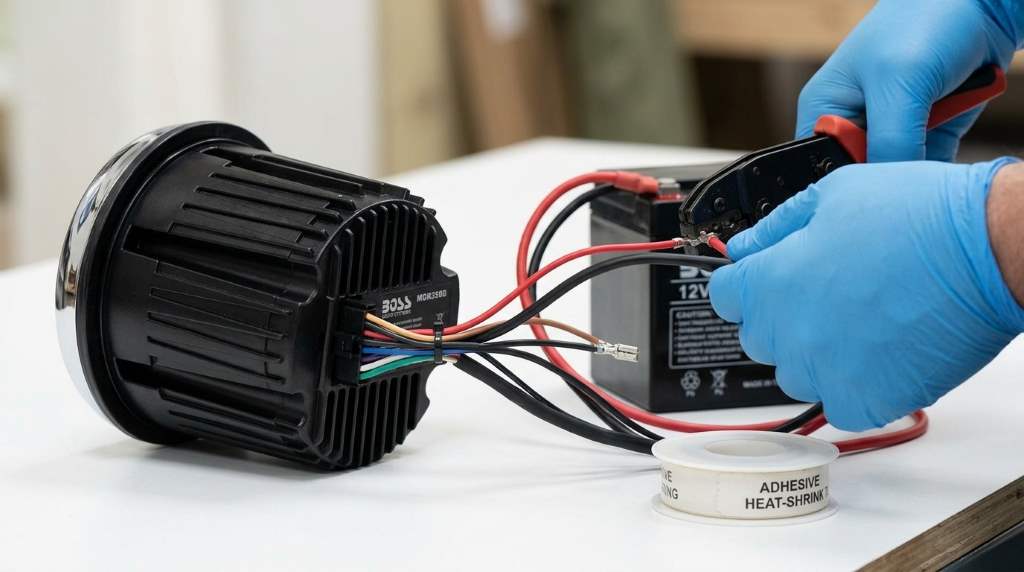
Tools and Materials You Need
Prepare every tool before starting the installation process. This approach saves time and prevents wiring mistakes.
- Wire stripper
- Marine grade crimp connectors
- Heat shrink tubing
- Marine electrical tape
- Digital multimeter
- Inline fuse holder if required
- Cable ties
- Screwdrivers
- Marine grade wiring
Understand the Boss Audio MGR350B Wiring Harness
The factory wiring harness uses color coded wires for easier installation. Therefore, identify every wire before making permanent connections.
Yellow Wire
The yellow wire connects to constant twelve volt battery power. This connection keeps memory settings and saved stations available.
Red Wire
The red wire connects to switched accessory power. As a result, the radio powers on with the ignition or switch.
Black Wire
The black wire connects directly to a clean ground point. Always remove paint or corrosion before attaching the ground wire.
Blue Wire
The blue wire powers an external amplifier or powered antenna. Connect this wire only when the accessory requires remote activation.
Speaker Wires
Speaker wires use positive and negative color pairs for every channel. Match each pair correctly to avoid weak or distorted sound.
- White and White with Black for front left
- Gray and Gray with Black for front right
- Green and Green with Black for rear left
- Purple and Purple with Black for rear right
How to Wire the Boss Audio MGR350B Marine Radio Step by Step
Step 1: Disconnect Battery Power
Disconnect the boat battery before touching any electrical connection. This safety step prevents accidental short circuits and electrical damage.
Step 2: Verify Power Wires
Use a digital multimeter to identify constant and switched power sources. Never rely only on wire colors inside older boats.
Step 3: Connect the Ground
Attach the ground wire to solid bare metal near the radio location. A strong ground improves performance and reduces electrical interference.
Step 4: Connect Battery Power
Join the yellow wire to constant battery power through the proper fuse. Then connect the red wire to switched accessory power.
Step 5: Connect Every Speaker
Match each speaker wire with its correct positive and negative terminal. Keep speaker polarity consistent across every channel.
Step 6: Install Optional Accessories
Connect amplifiers or powered antennas using the blue remote output wire. Follow every accessory manufacturer’s installation instructions carefully.
Step 7: Protect Every Connection
Seal every crimp connection with heat shrink tubing after testing. Marine environments expose wiring to moisture and vibration regularly.
Step 8: Test the System
Reconnect the battery after finishing every connection. Next, verify power, speaker balance, Bluetooth, and radio reception.
Best Wiring Practices for Marine Installations
Marine electrical systems face constant vibration, humidity, and salt exposure. Therefore, quality installation methods remain extremely important.
- Use only marine grade copper wire.
- Install waterproof connectors whenever possible.
- Support wiring with cable ties.
- Avoid sharp metal edges.
- Keep power and speaker wires separated.
- Inspect wiring regularly.
Common Wiring Mistakes to Avoid
Many installation problems result from simple wiring errors. Fortunately, most issues remain easy to prevent.
- Connecting constant and switched power incorrectly
- Using household electrical connectors
- Ignoring fuse protection
- Reversing speaker polarity
- Creating weak ground connections
- Leaving wiring exposed to moisture
Troubleshooting Wiring Problems
The Radio Will Not Turn On
Check the fuse, battery voltage, and power wire connections carefully. Also inspect the ground connection for corrosion or looseness.
The Memory Resets
The constant battery wire probably lacks continuous power. Verify the yellow wire receives uninterrupted battery voltage.
Speakers Produce Weak Sound
Incorrect speaker polarity often causes poor audio quality. Recheck every positive and negative speaker connection carefully.
Electrical Noise Appears
Ground loops and poor cable routing commonly create unwanted interference. Improve the grounding point and separate audio wiring.
Maintenance Tips After Installation
Inspect wiring several times each boating season for damage or corrosion. Early maintenance prevents larger electrical problems later.
Clean battery terminals regularly and replace damaged connectors immediately. Additionally, tighten loose mounting hardware during routine inspections.
Conclusion
Learning how to wire the Boss Audio MGR350B Marine Radio correctly creates a reliable and professional installation. Careful wiring protects your investment while delivering dependable audio performance every outing.
Gather quality marine materials, follow each connection carefully, and test every function before finishing the installation. If you want the best results, review your wiring twice before taking the boat onto the water.
Frequently Asked Questions
Can I install the Boss Audio MGR350B Marine Radio myself?
Yes, you can install it yourself by following the wiring diagram carefully.
Should I disconnect the battery before wiring?
Yes, always disconnect the battery before starting any electrical work.
What wire keeps the radio memory?
The yellow wire provides constant battery power for memory functions.
Why is my radio losing saved stations?
The constant power connection is likely missing or incorrectly wired.
Can I use regular automotive connectors on a boat?
No, marine grade waterproof connectors provide better protection and reliability.