Nina Taylor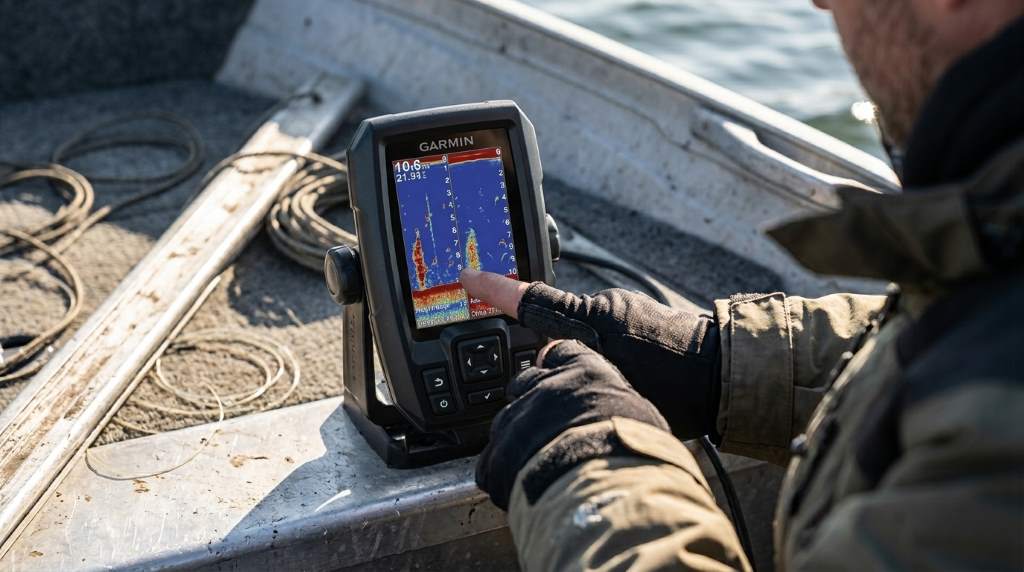
Reading the Garmin Striker 4 GPS Fishfinder starts with understanding fish arches, bottom contours, depth, and sonar colors. Once you learn what each screen element represents, you can quickly locate productive fishing spots and make better decisions on the water.
Many anglers rely on fishfinders because sonar improves underwater visibility significantly during fishing trips. According to recreational fishing surveys, millions of anglers regularly use electronic fishfinders for better navigation and fish location. This guide explains every important display feature in simple language. You can also explore the Garmin striker 4 gps fishfinder for additional product information before applying these reading techniques.
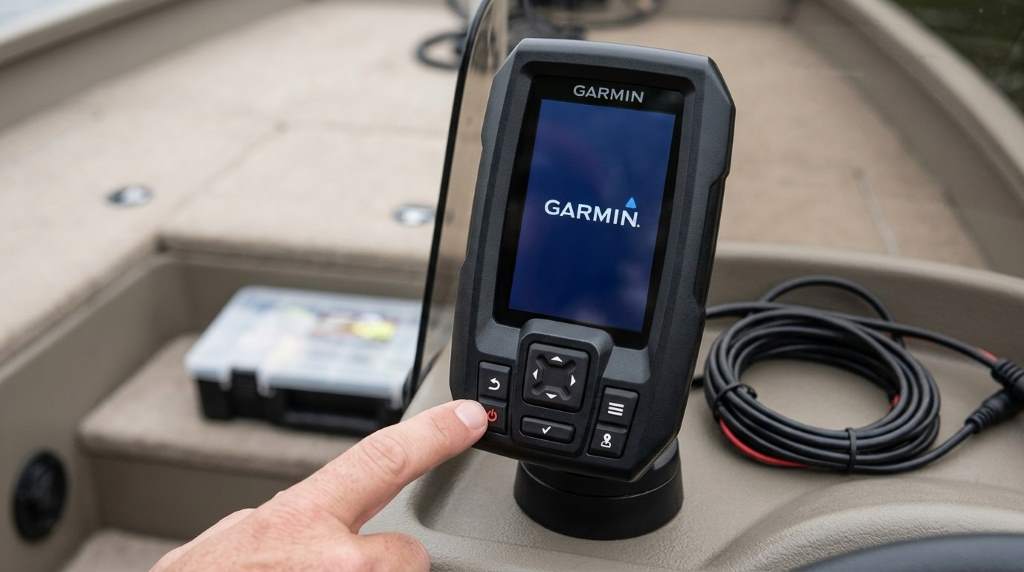
Understand the Main Display
The display combines sonar data, GPS information, and underwater structure into one easy interface. Every symbol provides useful information about conditions below your boat.
After powering the unit, spend several minutes watching the screen before changing any settings. This habit helps you recognize normal sonar activity during different water conditions.
Know the Screen Layout
- Depth reading
- Water temperature
- Battery voltage
- Boat position
- Sonar history
- Bottom contour
Each section updates continuously while your boat moves across the water. Therefore, accurate interpretation depends on maintaining a steady boat speed.
How Sonar Creates the Display
The transducer sends sound waves beneath your boat and waits for returning echoes. Then the unit converts those echoes into readable graphics.
Hard objects reflect stronger signals than soft materials beneath the water. Consequently, different colors and brightness levels reveal underwater composition.
Understanding Sonar Colors
Strong echoes usually appear with brighter or warmer colors depending on your selected palette. Meanwhile, weaker echoes appear darker because they reflect less sound energy.
Changing the color palette improves visibility during bright sunlight or cloudy weather. However, keep one palette consistently until you recognize common sonar patterns.
How to Identify Fish
Fish appear as arches because they move through the sonar cone while your boat travels. Larger arches generally represent larger fish beneath the surface.
Small dots sometimes indicate baitfish schools instead of individual fish. Therefore, examine nearby structure before deciding where to cast.
Fish Symbols Versus Raw Sonar
The unit offers optional fish symbols instead of traditional sonar arches. Beginners appreciate this feature because symbols simplify early interpretation.
Experienced anglers often disable fish symbols for greater accuracy during changing conditions. Raw sonar provides more detailed underwater information after enough practice.
Reading Bottom Structure
Bottom thickness reveals whether the lake floor remains hard or soft. Thick bright lines usually indicate rocks, while thinner lines often represent mud.
Learning bottom composition improves lure selection and presentation during every fishing trip. As a result, you spend more time targeting productive areas.
Recognize Common Structures
- Rock piles
- Drop offs
- Weed beds
- Submerged timber
- Brush piles
- Channels
These structures frequently attract baitfish and larger predators throughout changing seasons. Always scan them carefully before moving to another location.
Understanding GPS Features
The built in GPS helps you save productive fishing locations quickly. Later, you can return precisely without searching again.
Marking successful spots builds a valuable personal fishing map over time. Consequently, every trip becomes more efficient and consistent.
Creating Waypoints
Press the waypoint button immediately after finding fish or productive cover. Then give every location a meaningful name for easier identification.
Organized waypoint names simplify navigation during future fishing trips. Good labels also reduce confusion when several nearby locations exist.
Using Zoom Effectively
Zoom improves target separation by enlarging important underwater details near the bottom. This feature helps identify fish hiding close to structure.
Switch between normal and zoom views depending on water depth. Therefore, you maintain clear visibility under changing fishing conditions.
Adjusting Sensitivity Correctly
Sensitivity controls how many sonar echoes appear on the display. Higher settings reveal smaller objects but may introduce unwanted screen clutter.
Lower settings reduce unnecessary noise while maintaining clear bottom definition. Adjust sensitivity gradually until fish and structure remain easy to distinguish.
Interpreting Water Temperature
Water temperature directly influences fish behavior and feeding activity throughout the day. Many species prefer specific temperature ranges during different seasons.
Watch temperature changes while moving between shallow and deep water. Even small differences sometimes reveal active feeding zones.
Understanding Depth Changes
Depth readings update continuously as your boat travels across underwater terrain. Sudden changes often indicate ledges, channels, or drop offs.
Predatory fish frequently gather around these underwater transitions while hunting baitfish. Consequently, these locations deserve additional attention.
Recognizing Sonar Interference
Random lines or clutter occasionally appear because of electrical interference or rough water. Fortunately, several simple adjustments solve most display problems.
- Reduce sensitivity slightly
- Check transducer placement
- Inspect cable connections
- Slow boat speed
- Select another sonar frequency
After correcting the issue, verify that sonar returns appear smooth and consistent. Stable readings improve confidence while locating fish.
Common Beginner Mistakes
Many beginners expect every screen mark to represent a fish immediately. Instead, learn to compare arches, structure, and bottom conditions together.
Avoid changing settings constantly while learning the display. Consistent settings make pattern recognition much easier over time.
Tips for Better Screen Reading
- Practice in familiar lakes first
- Compare sonar with visible structure
- Use GPS waypoints consistently
- Watch fish movement carefully
- Review sonar history frequently
- Keep the transducer clean
Regular practice builds confidence faster than memorizing display examples alone. Eventually, interpreting sonar becomes almost automatic during every trip.
Conclusion
Learning how to read the Garmin Striker 4 GPS Fishfinder requires patience, observation, and regular practice. Once you understand sonar arches, bottom composition, GPS navigation, and display settings, finding productive fishing locations becomes much easier.
Take your unit onto the water often and apply these techniques during every outing. Consistent practice will improve your accuracy and help you catch more fish confidently.
Frequently Asked Questions
How do I know if the Garmin Striker 4 shows a real fish?
Look for clear sonar arches near structure instead of isolated random marks.
Should beginners use fish symbols?
Yes, fish symbols simplify reading until you understand traditional sonar arches.
What sensitivity setting works best?
Use the lowest setting that still displays fish and bottom details clearly.
Why does the bottom line become thicker?
A thicker bottom line usually indicates a harder underwater surface like rock.
Can GPS save my favorite fishing spots?
Yes, the waypoint feature stores productive locations for future trips.